
tinybio
Designing for scientists who know exactly what they want.
tinybio is an AI-powered bioinformatics platform that helps scientists and biotechs analyze, visualize, and share biological data. It was acquired by Seqera. My job was to take deeply technical workflows and make them feel native to the scientists using them, without dumbing anything down.
The Problem
The hardest kind of user to design for.
Most design work involves closing a gap between what a product can do and what a user understands. Bioinformatics flips that - research scientists understand the domain at a level that's genuinely humbling, and they have strong opinions about how their tools should behave. The usual instinct to simplify is often exactly wrong: oversimplify a genomic data visualization and you've broken the thing that makes it useful. The challenge wasn't accessibility. It was credibility.
The Process
Learning the domain before designing the interface.
Before wireframes or visual design, I spent time understanding how scientists move through their workflows - where they hit friction, and what "good" looked like in their eyes. Bioinformatics has established conventions, and violating them without good reason signals immediately that the product wasn't built for them. I worked closely with the tinybio team to pressure-test every decision; if a visualization obscured the data, they'd catch it. That feedback loop kept the design honest to the science.
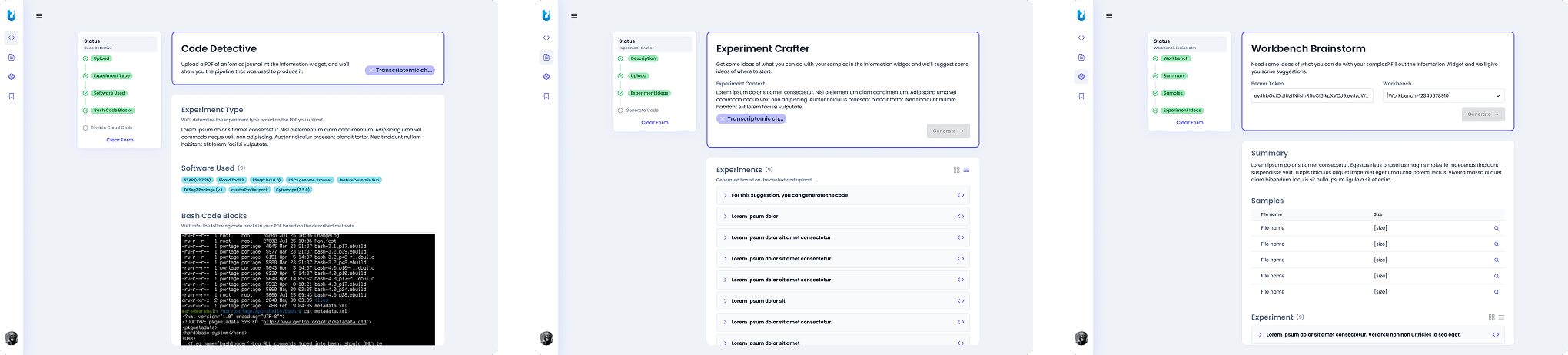
Early design explorations for tinybio's three pillars: Code Detective, Experiment Crafter, and Workbench Brainstorm.
The Design
From wireframe to product.
The work spanned UX strategy, wireframes, high-fidelity prototypes, a scalable design system, and visual brand direction. For a platform this technically dense, each layer mattered - the design system meant consistency wasn't just aesthetic, it was functional, letting scientists build mental models that held across the platform. Bioinformatics tools have a reputation for being visually utilitarian; tinybio had an opportunity to be both scientifically rigorous and well-designed, and the visual language had to communicate both.
SELECTED WORK
A platform built for how scientists work.
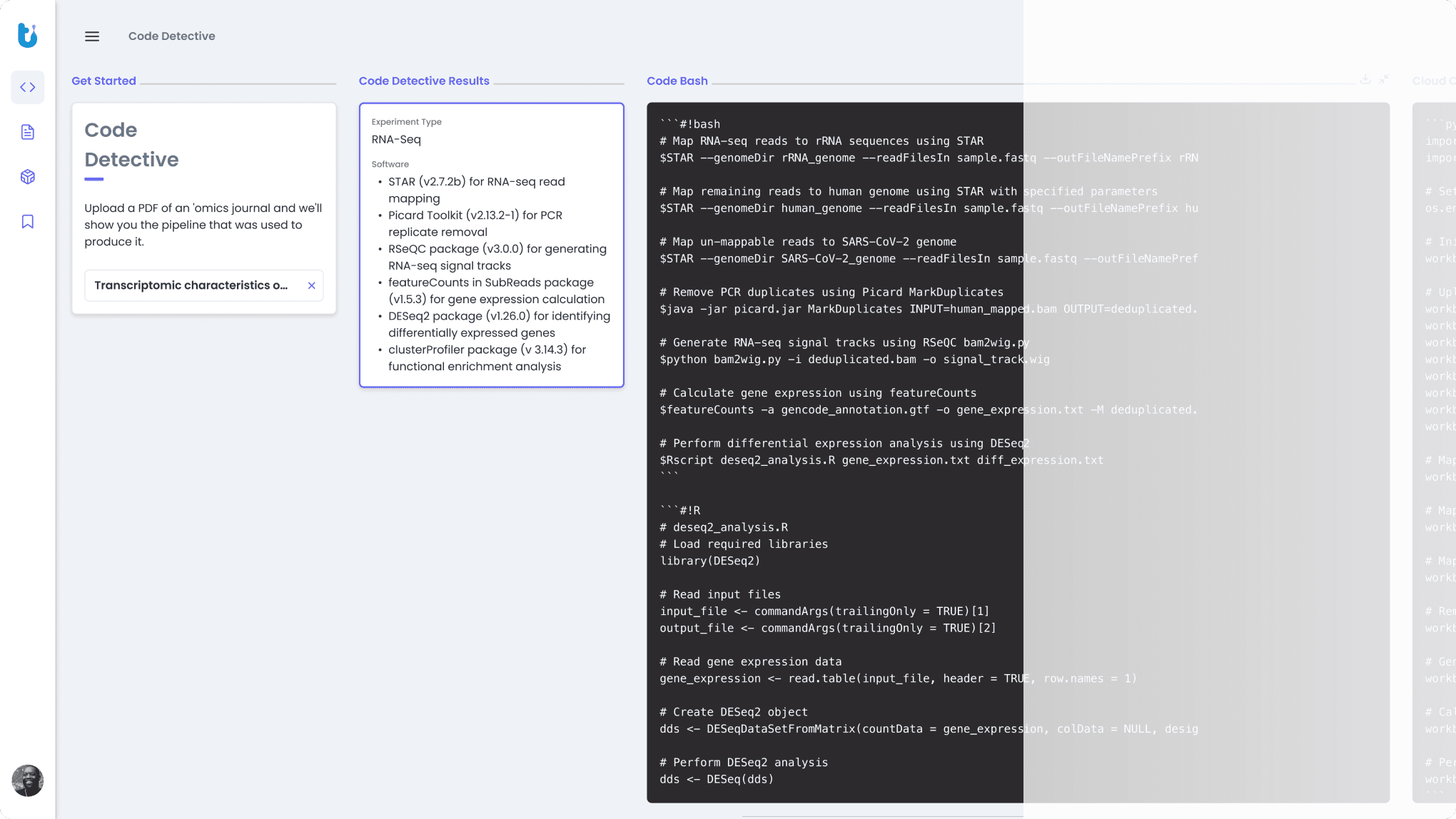
Upload broken code and tinybio finds the problem. Not just flagging errors, rewriting the script until it runs.
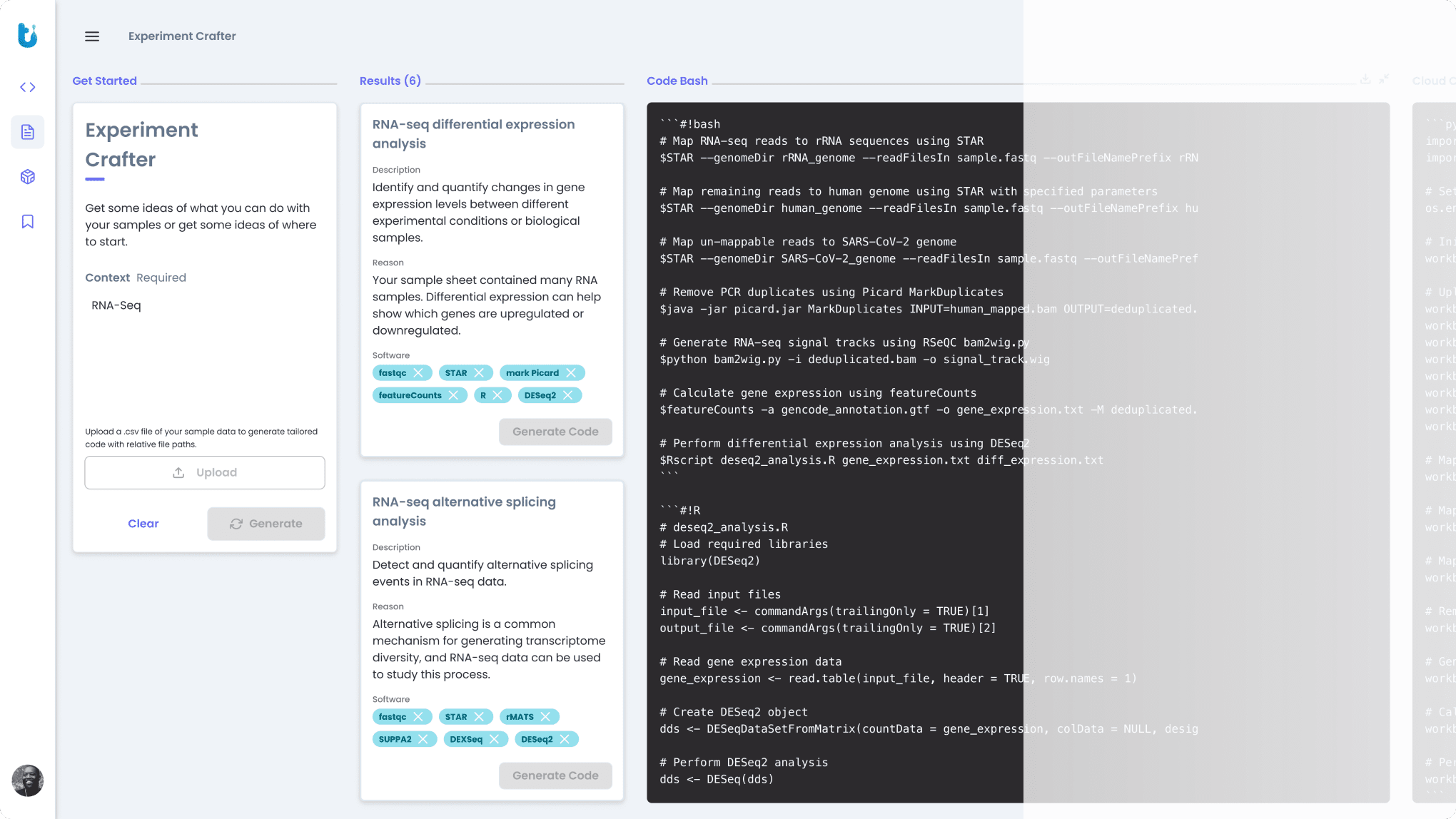
Describe your research question and get a structured experiment protocol back. Built for scientists who know what they need, but want a faster starting point.
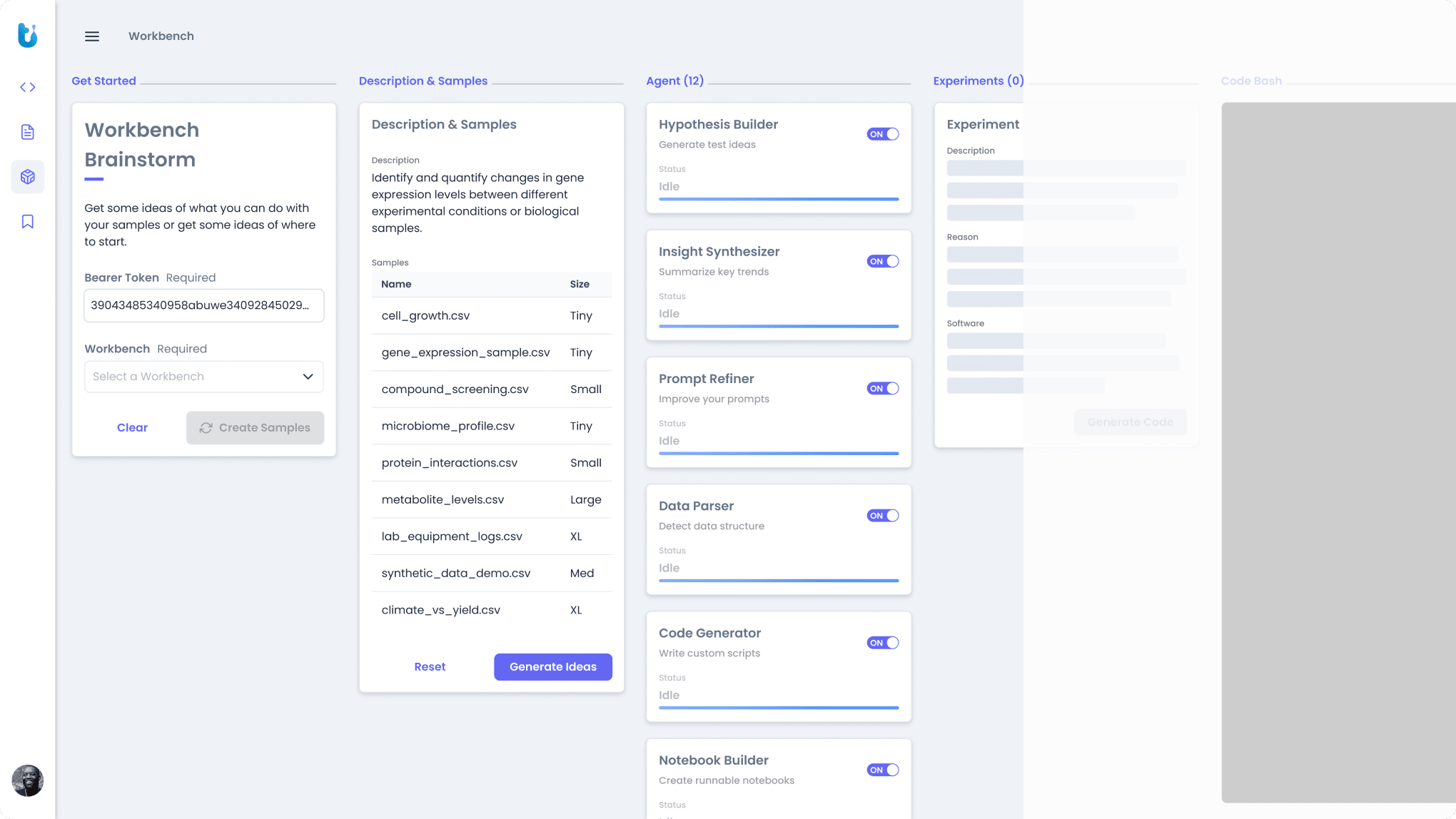
A thinking space for early-stage research. Surface methods, connect approaches, and pressure-test ideas before you commit to an analysis path.
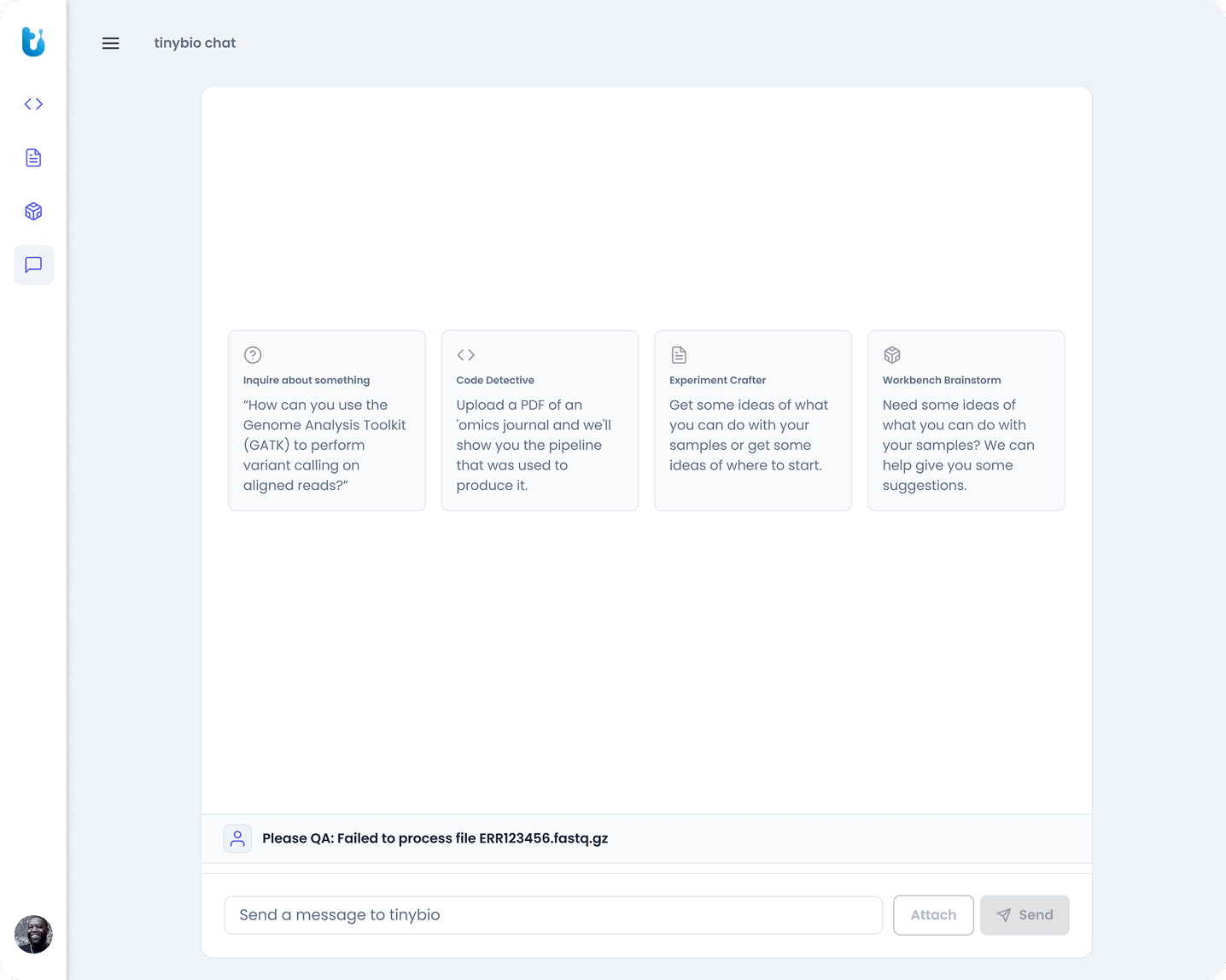
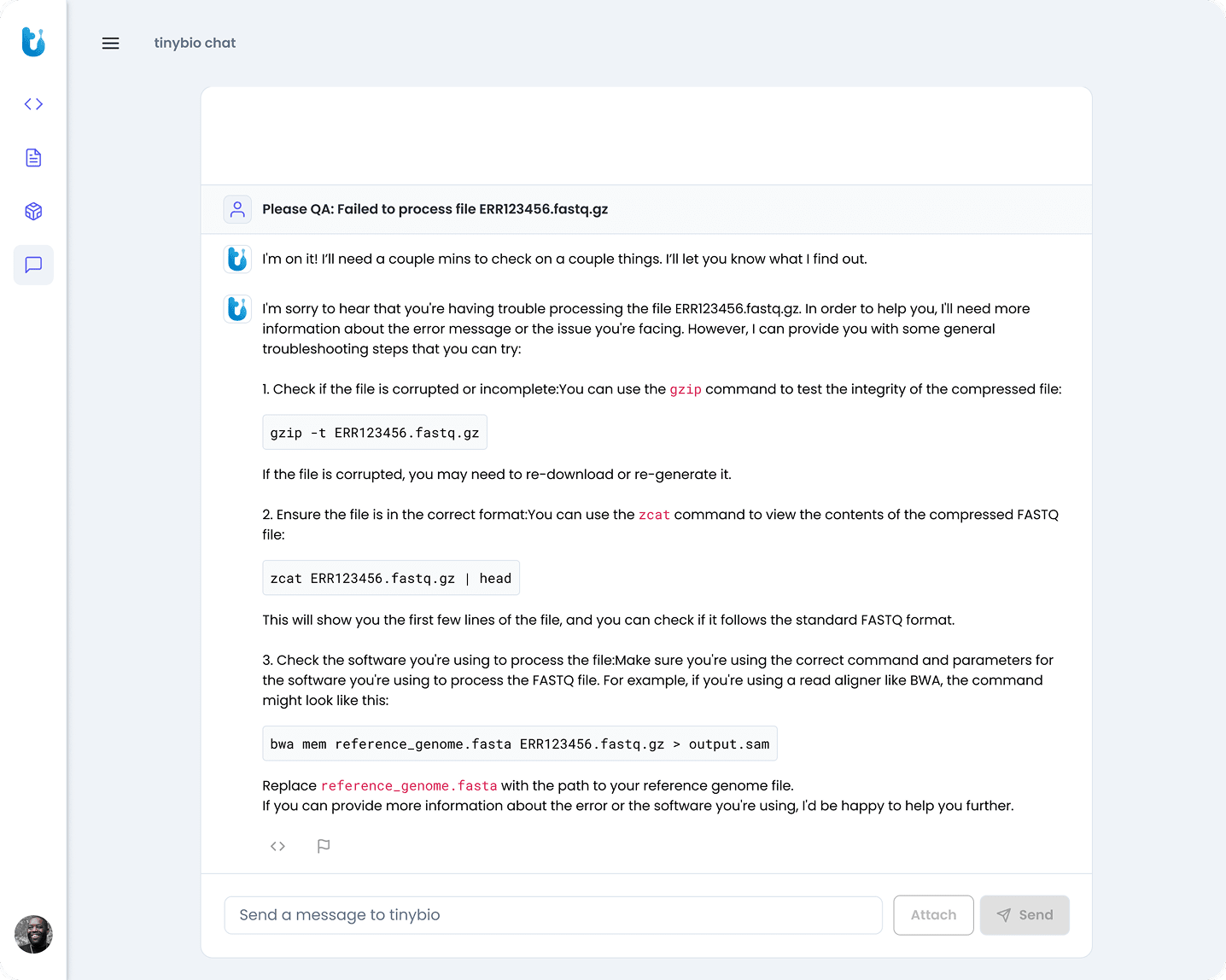
Ask the questions you'd ask a colleague who knows Seurat, DESeq2, and samtools. Answers optimized for research.
The Takeaway
What designing for experts taught me.
The biggest lesson from tinybio: on a product for expert users, general UX principles are necessary but not sufficient. You have to understand the work well enough to earn the trust of the people doing it. Not "is this easy to understand?" but "does this preserve the precision the user needs?" tinybio was acquired by Seqera. The scientists trusted the product enough to use it. That was the only metric that mattered.